Enrichment
Shows how to test gene sets against your data, either scoring every cell or testing the genes from a differential expression result, and how to use the scores in a view.
1Open the Enrichment tab
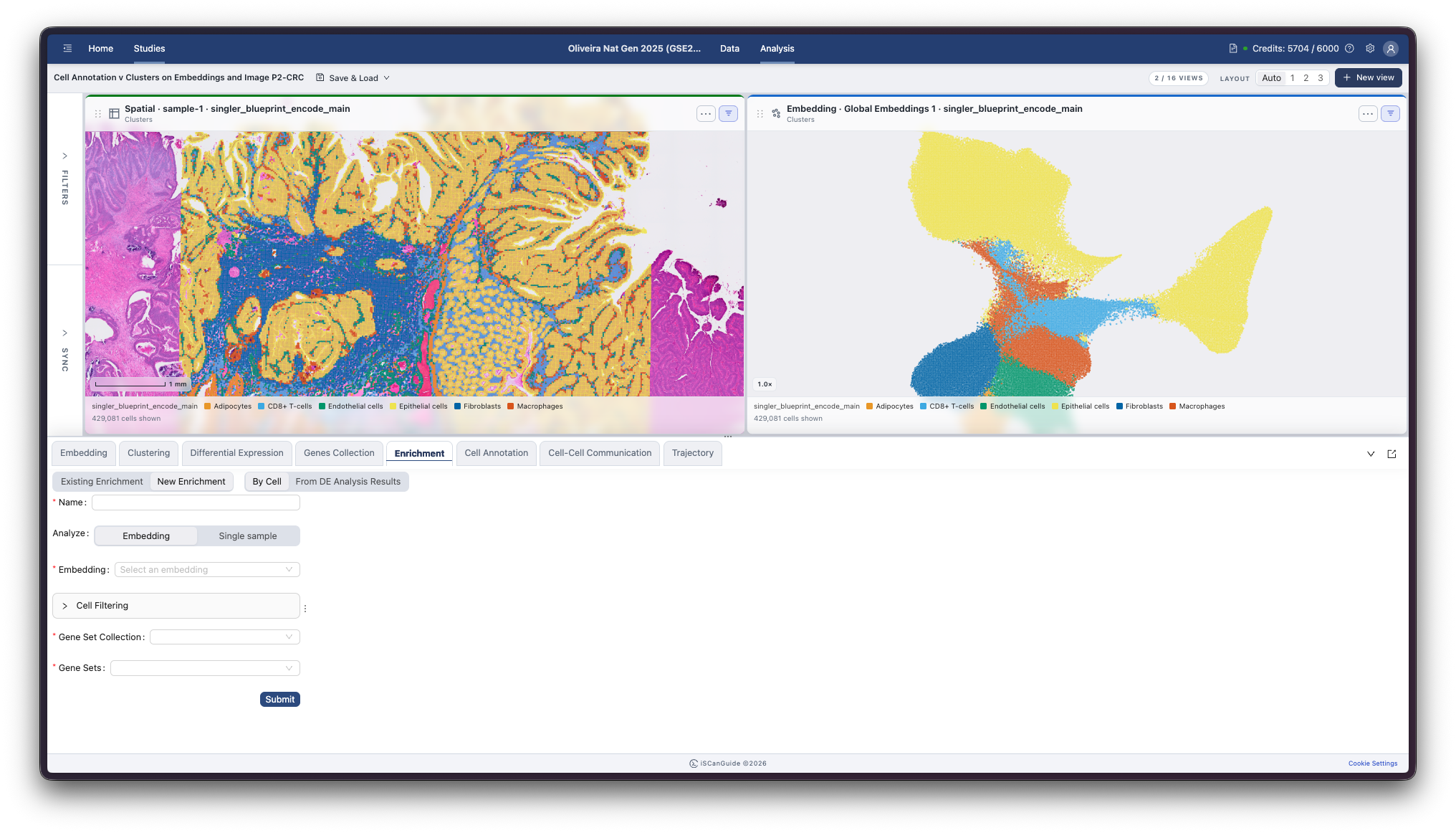
Open Enrichment in the bottom drawer. Enrichment tests which of your gene sets are over-represented, either in individual cells or in a list of differentially expressed genes.
2Choose a mode
By Cell scores every cell against each gene set, giving a score you can show in a view. From DE Analysis Results tests the genes from a differential expression result instead.
3Choose what to analyze
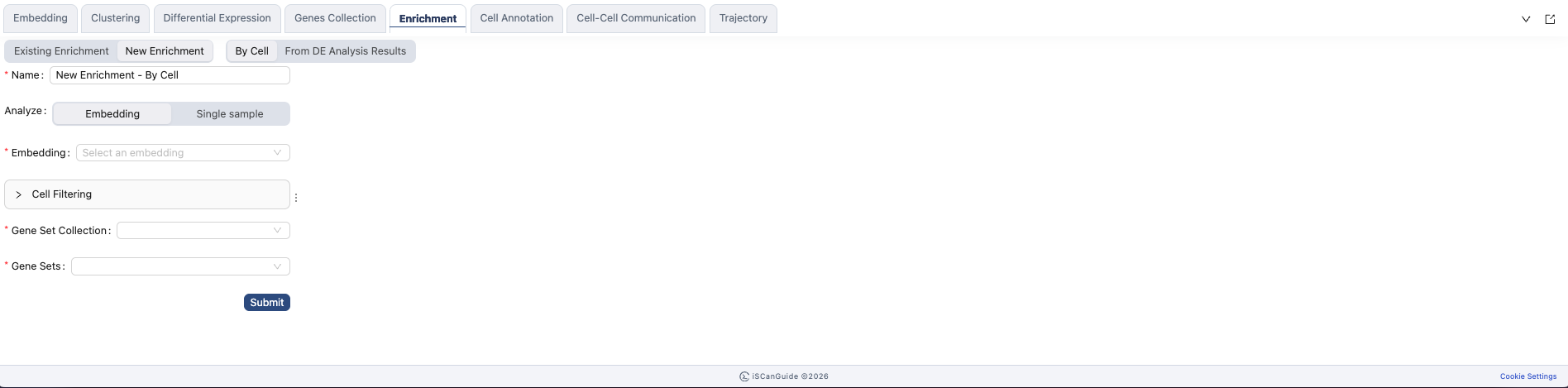
Name the analysis, then choose whether to run it over a whole embedding or a single sample.
Note: Single sample lists spatial samples only. Use Embedding for non-spatial data.
4Score gene sets per cell
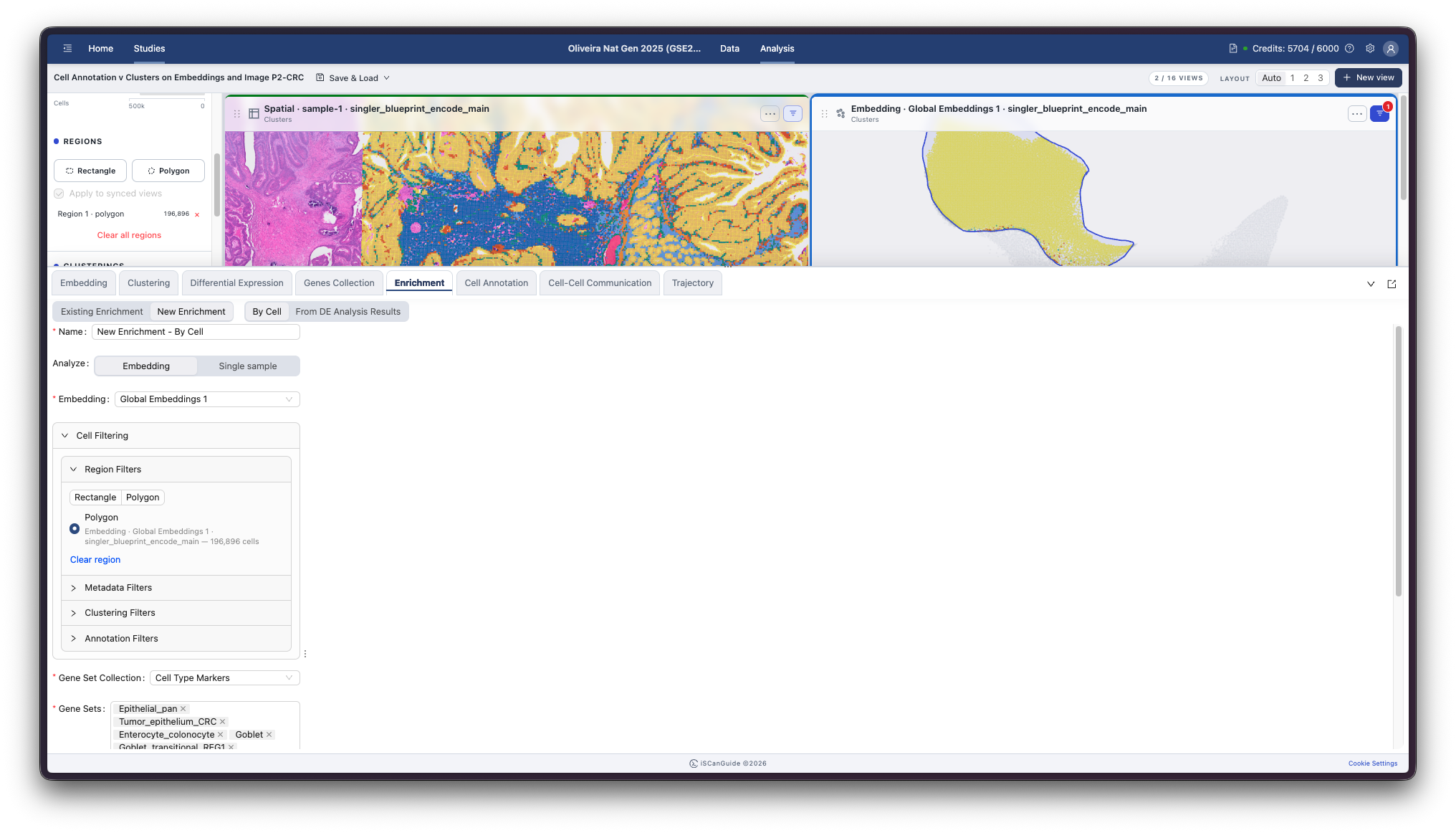
In By Cell mode you can restrict the analysis to a subset of cells using the same filters as the other modules.
5Test a DE result
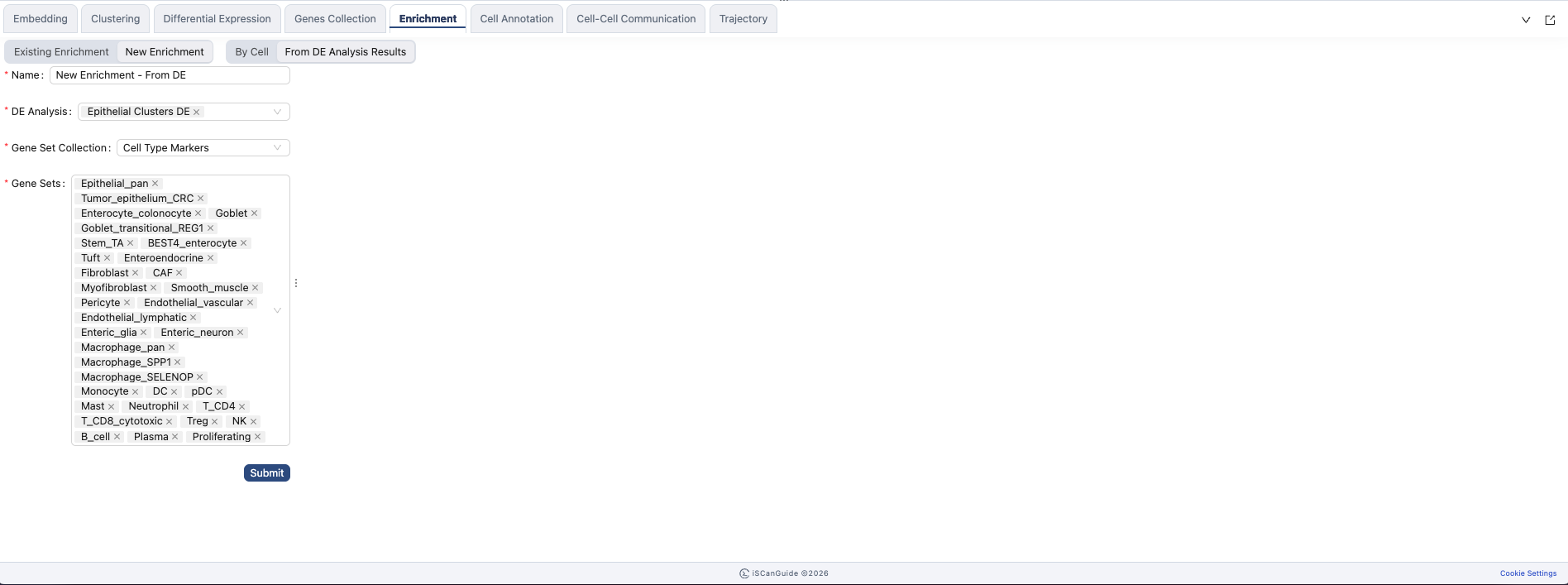
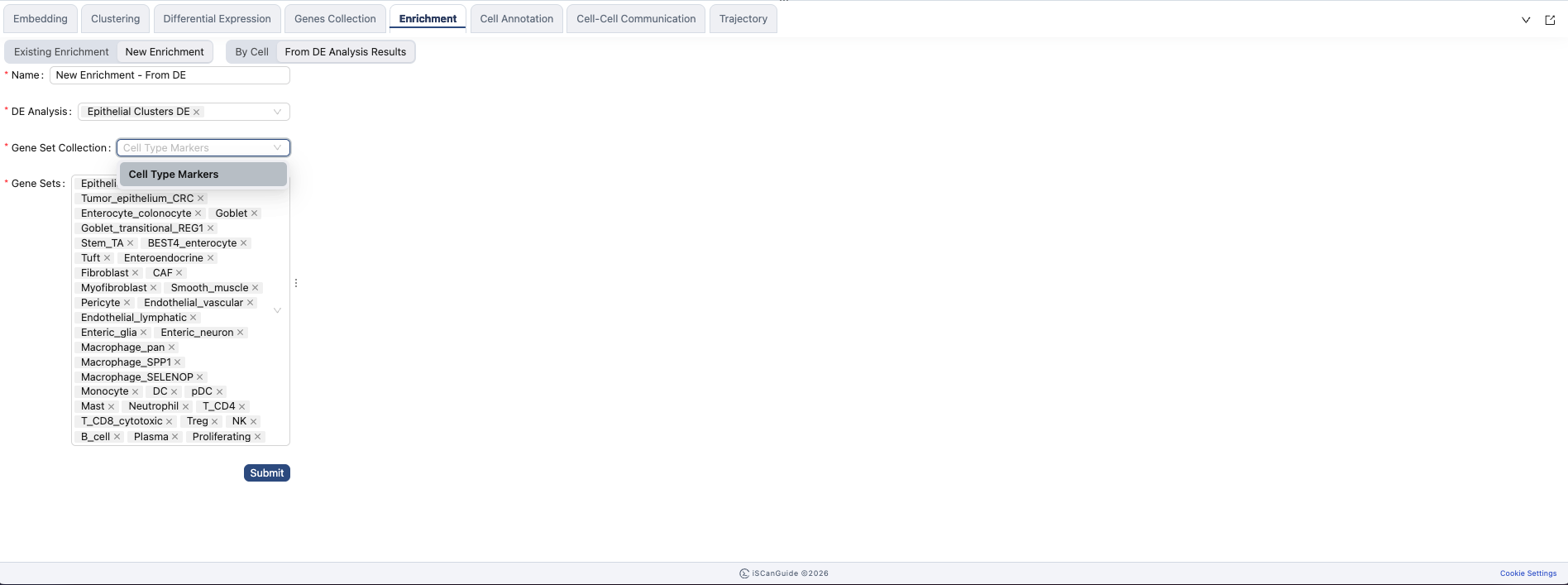
In From DE Analysis Results mode, pick the differential expression result to test. Its gene list becomes the input.
6Choose gene sets
Pick the collection and the gene sets to test against. Both modes use the same collections you built in Genes Collection.
7Existing enrichments
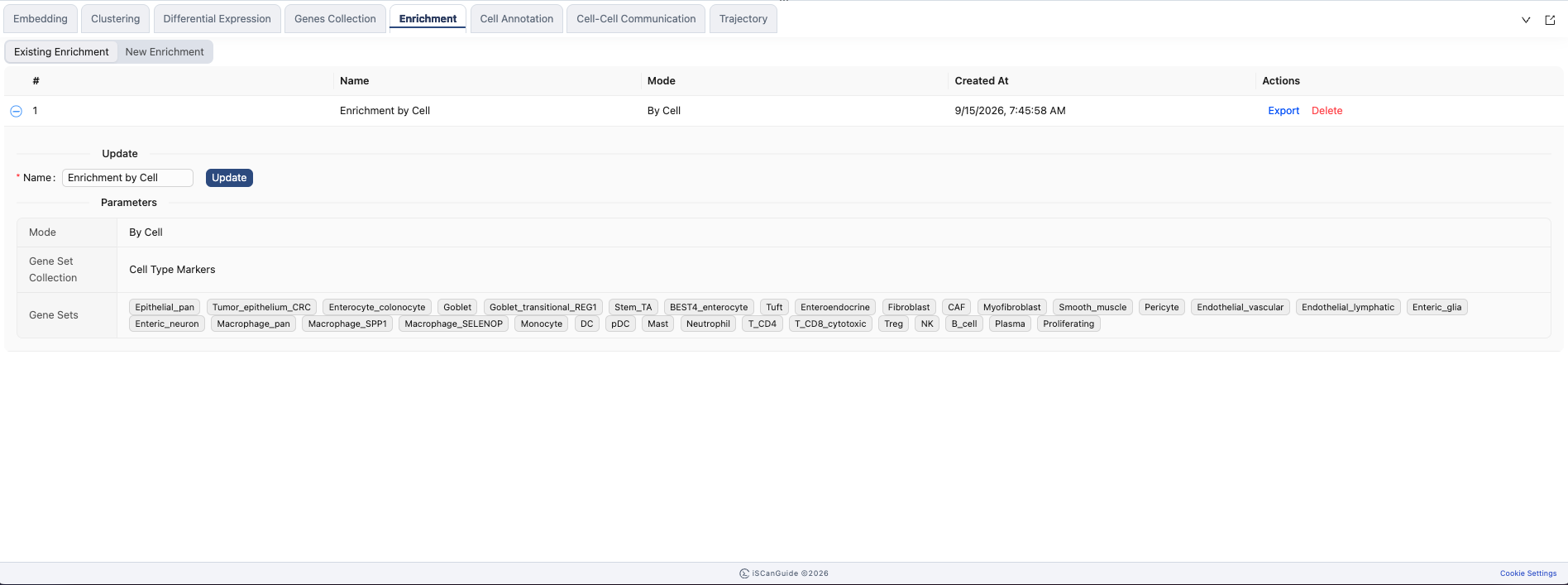
Click Submit to run the analysis. Completed enrichments are listed with the mode they ran in. Expand one to see the collection, the gene sets, and any filters or DE result it used.
8Use an enrichment in a view
Colour your cells by enrichment score. Create a view, choose Enrichment as the data, and pick the gene set to see where it is active. Both modes can be used this way.
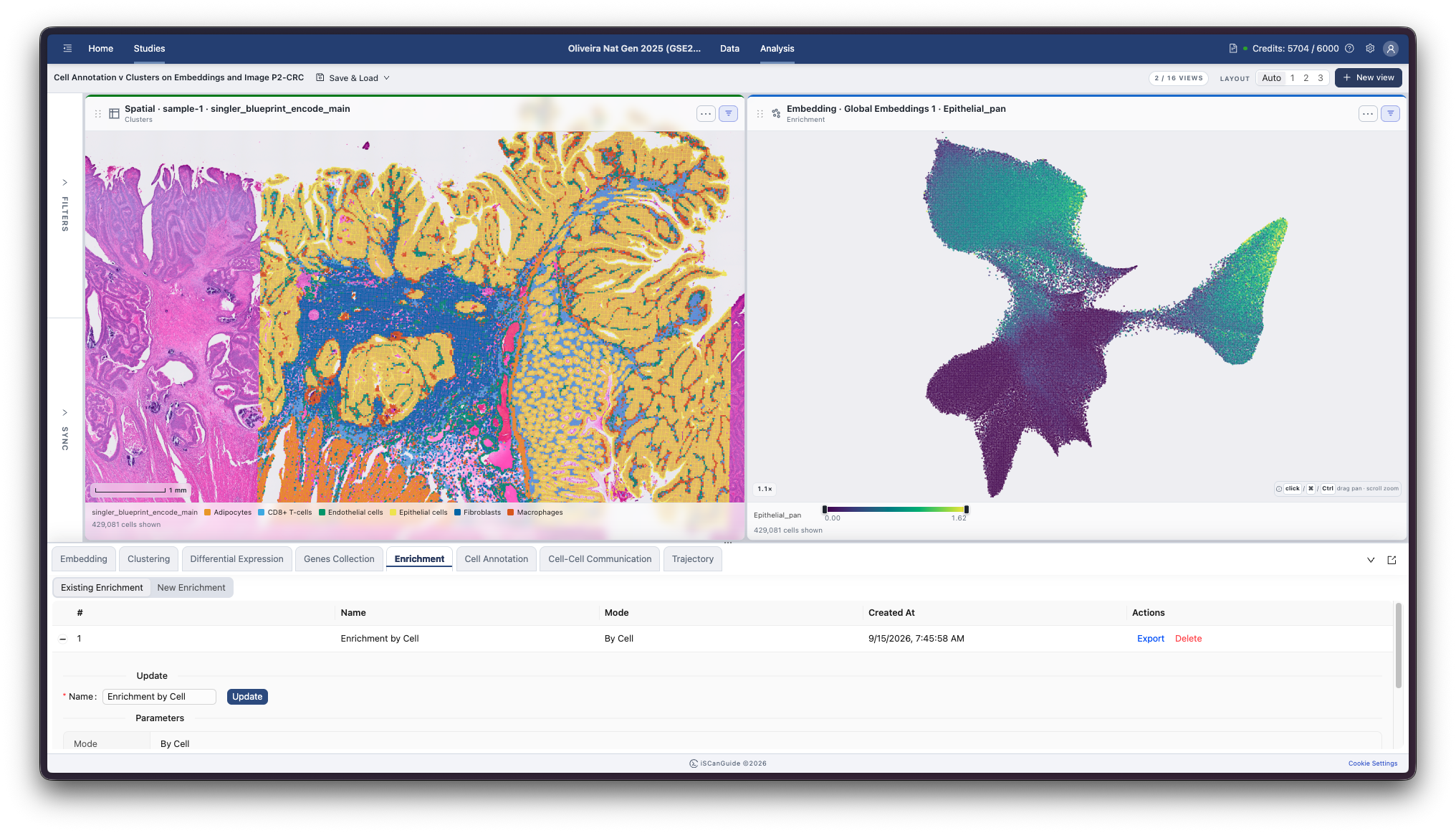
Note: a From DE Analysis Results enrichment can colour the embeddings its comparisons covered. It is not available on a single-sample view.