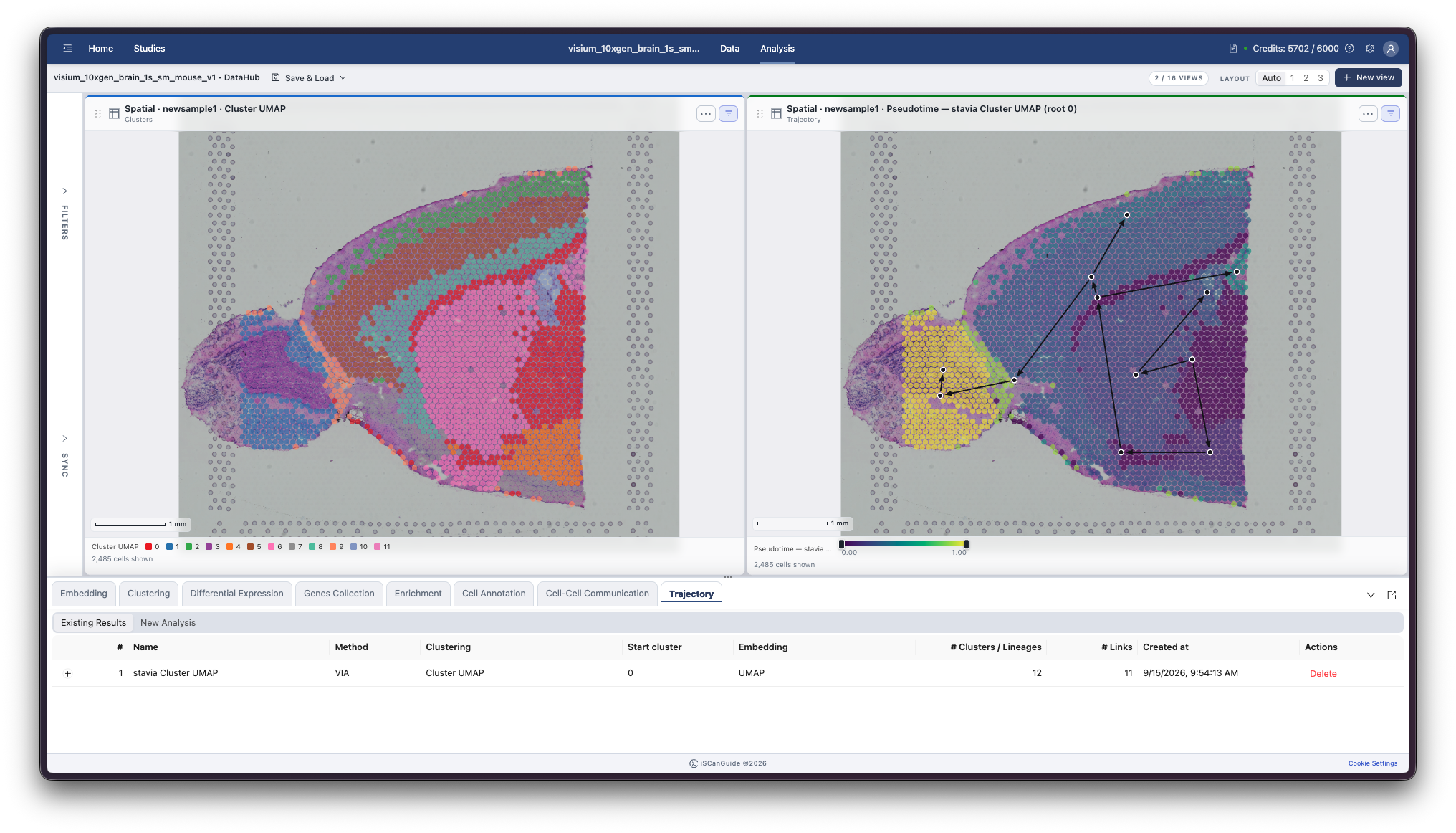
Trajectory
Shows how to order cells along a developmental or transitional path: choosing between StaVia and Slingshot, setting the grouping and starting point, and viewing the result.
1Open the Trajectory tab
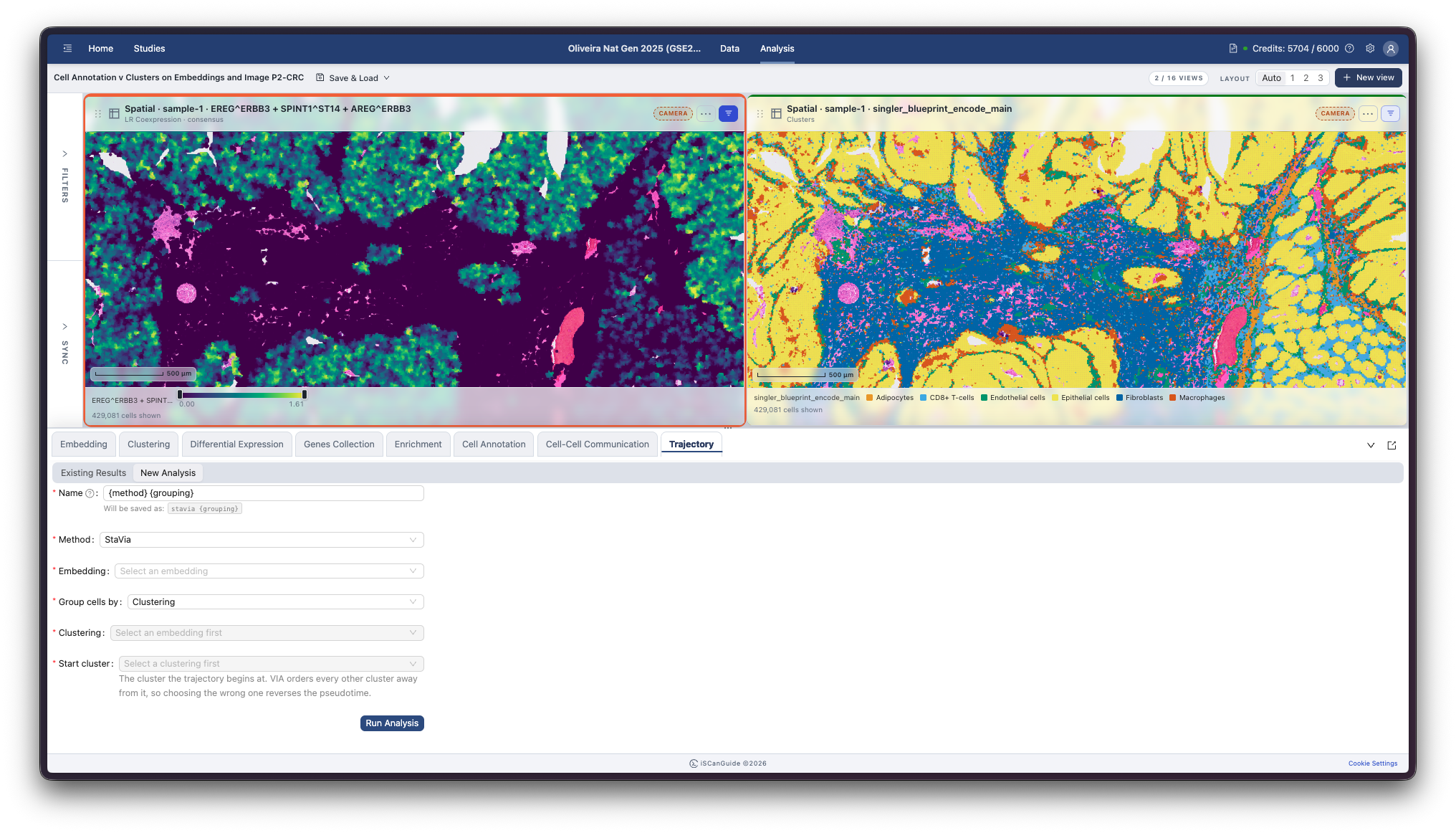
Open Trajectory in the bottom drawer. A trajectory orders cells along a path, so you can follow how expression changes from one state to another.
2Name the trajectory
Name the trajectory. The name starts as a template: {method} and {grouping} are replaced with your choices when you submit, so you can leave it alone or type something that describes the path, such as Neural lineage.
3Choose a method
StaVia and Slingshot both infer a path through your cells. StaVia is the default and the right choice for spatial data, and for anything large: it has no size limit. Slingshot suits smaller non-spatial datasets and cannot run on an embedding of more than 250,000 cells.
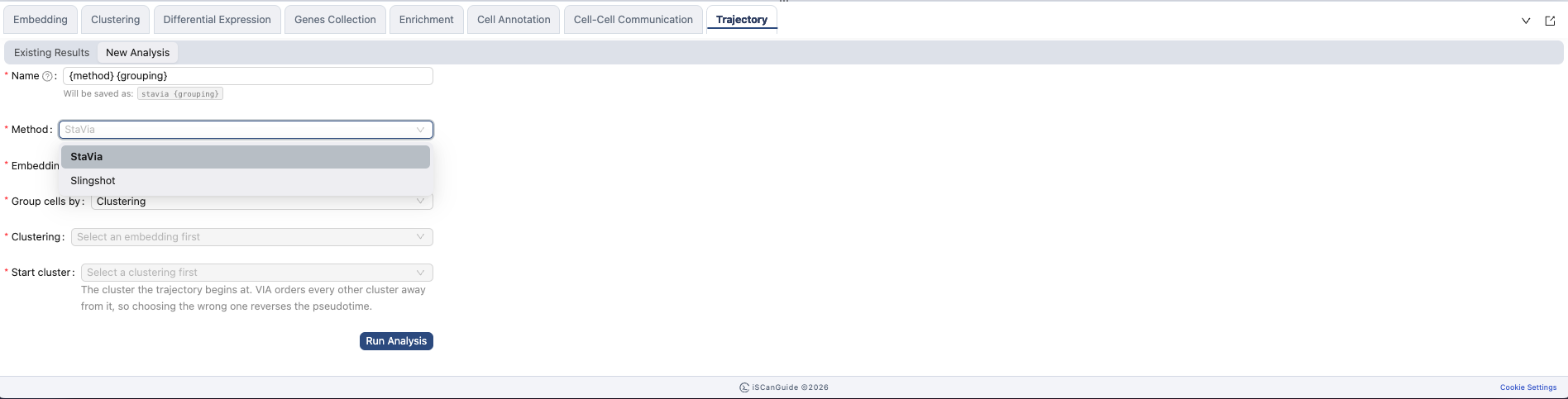
Note: if you choose Slingshot and then an embedding above 250,000 cells, iSCanGuide says so and asks you to pick a smaller embedding or switch to StaVia. The limit is enforced when the job runs as well, so a too-large embedding is refused rather than quietly cut down.
4Choose an embedding and grouping
Select the embedding to build the trajectory on, then how the cells are grouped. StaVia groups by clustering. Slingshot can also group by annotation or metadata.
5Choose a starting point
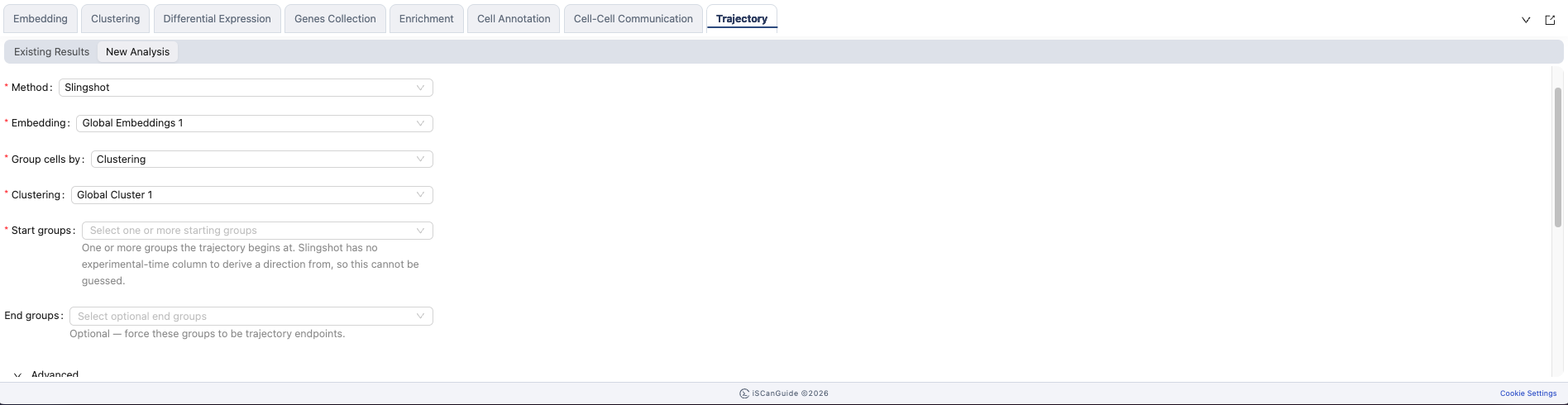
Tell iSCanGuide where the path begins by choosing the group that represents the earliest state. There is no default, and your choice sets the direction of the whole path. With Slingshot you can also name the groups the path should end at.
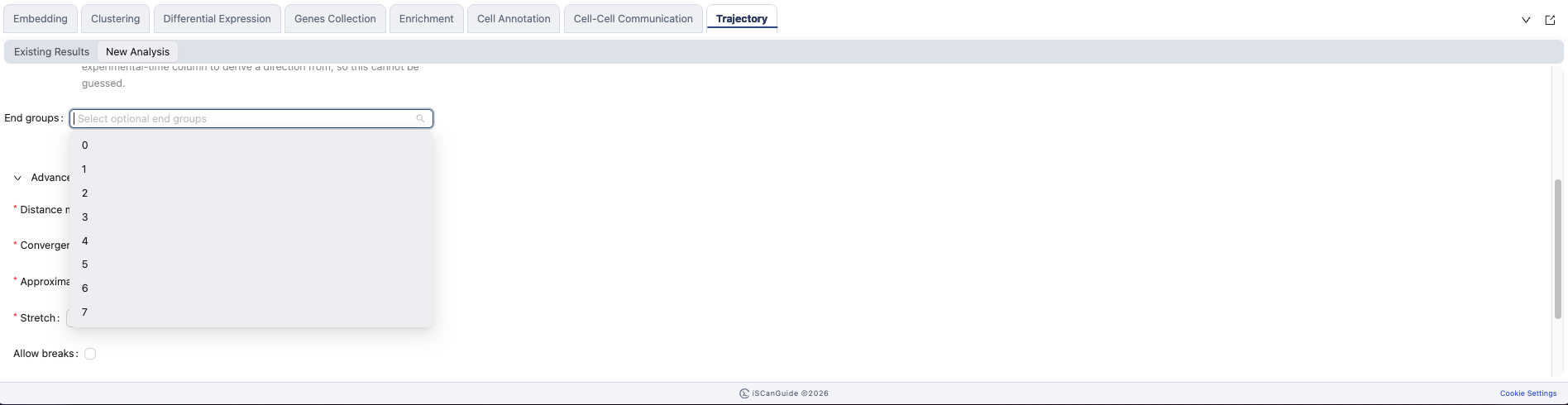
Which field appears
| Method | Fields |
|---|---|
StaVia | Start cluster |
Slingshot | Start groups and End groups |
Both are required and neither has a default.
6Distance method
The distance method sets how similarity between groups is measured when the path is built. Slingshot is the default.
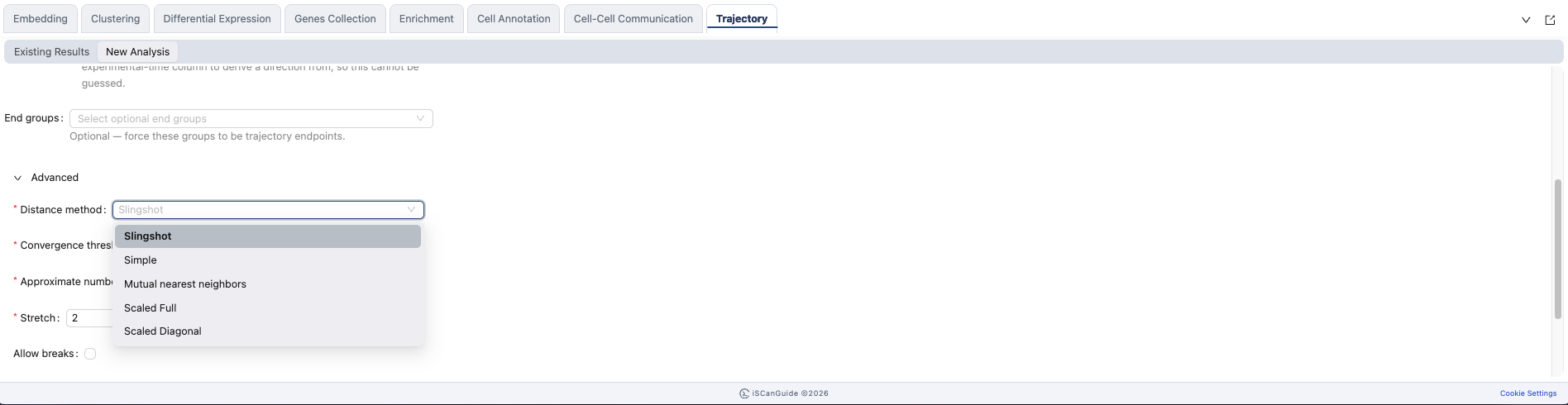
Distance methods
Slingshot, Simple, Mutual nearest neighbors, Scaled Full, Scaled Diagonal.
7Advanced parameters
The advanced section holds the fitting parameters. The defaults suit most datasets.
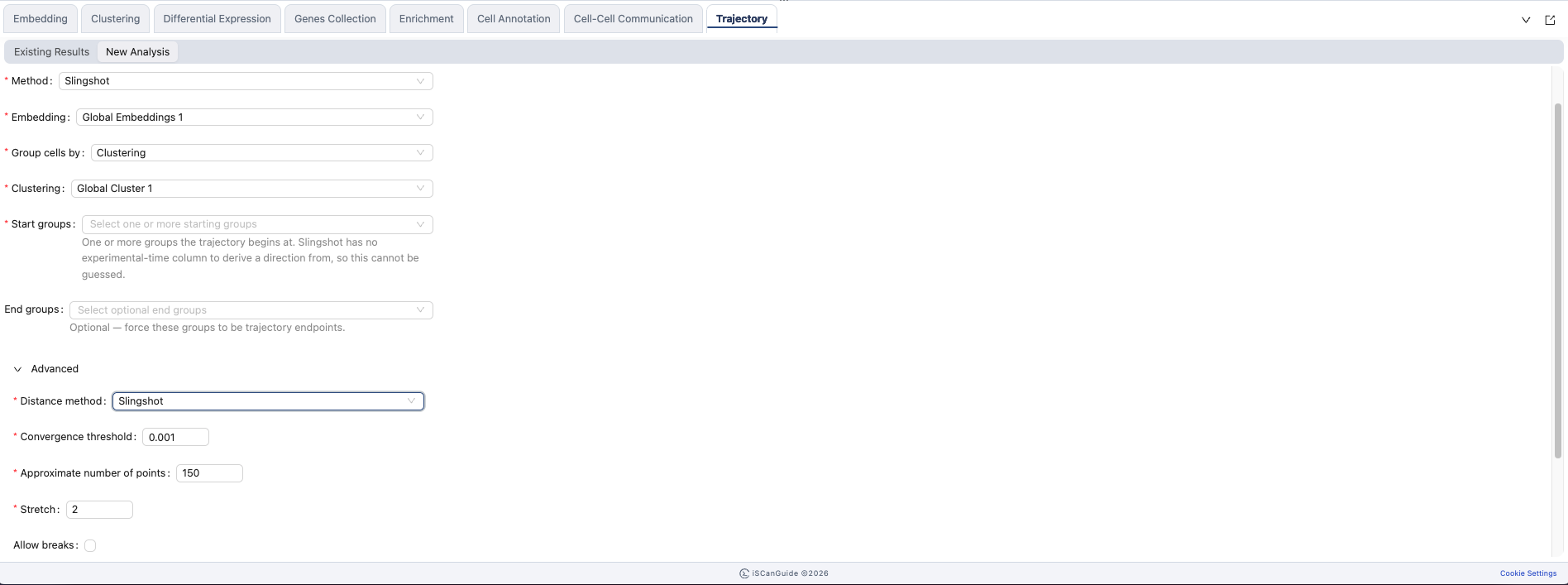
Advanced parameters
| Field | Default |
|---|---|
Convergence threshold | 0.001 |
Approximate number of points | 150 |
Stretch | 2 |
Allow breaks | off |
8Existing trajectories
Click Run Analysis to start. Completed trajectories are listed with the method and embedding they used. Expand one to see its parameters.

9Visualize the trajectory
Create a view and choose your trajectory to colour cells by their position along the path.